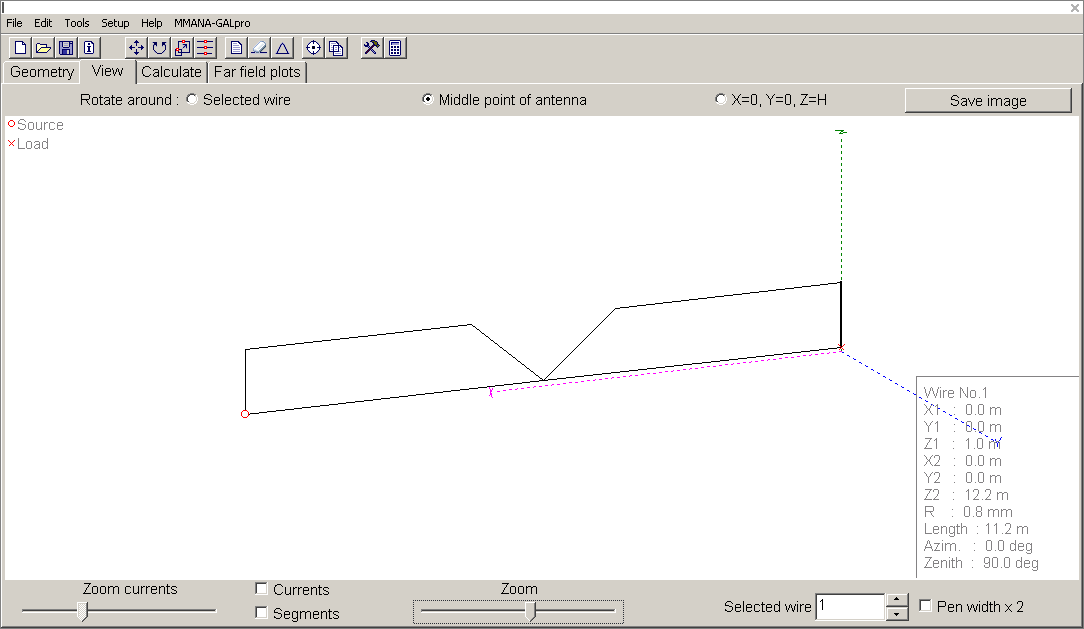
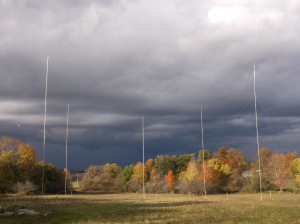
In the quest to approach the elusive 10dB RDF on 2200m, I recently reconfigured the co-planar EWEs (firing east and west respectively) into a anti-phased pair similar to the DHDL receive antenna designed by AA7JV for 160m:
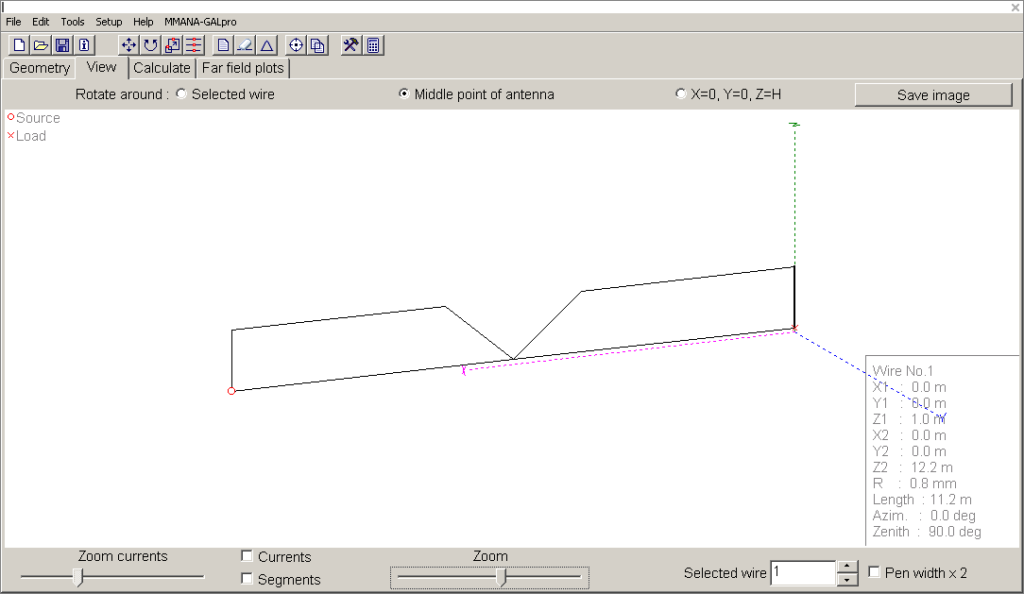
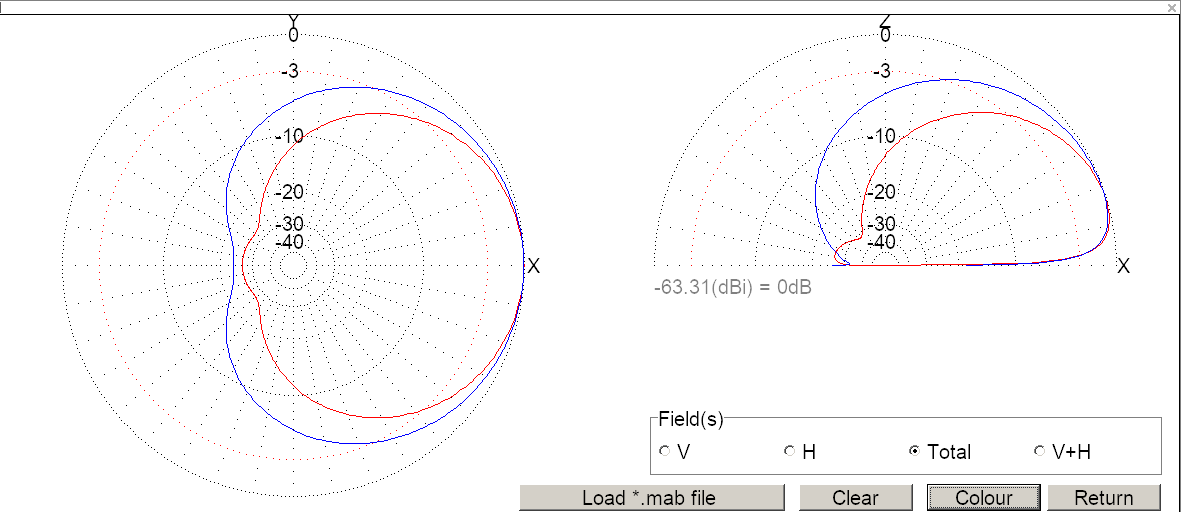
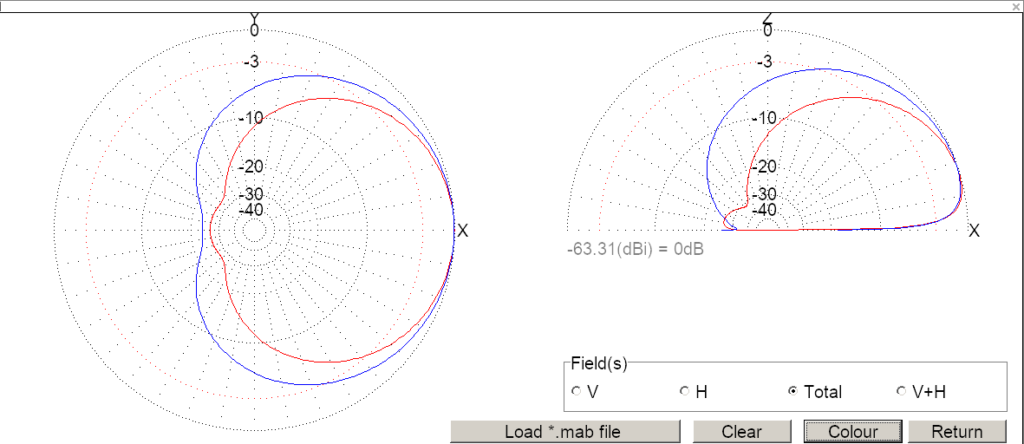
Total length is approx. 356 ft, the top wire is at 50 ft AGL and the bottom wire is 3 ft AGL supported by “T” posts and plastic insulators. The theoretical pattern compared to a single EWE (gain normalized):
Tests comparing it to a 2-element vertical array with 400ft spacing have been ongoing for over a week, but last night I decided to revert back to a single EWE part way through the evening “session” to gather data to compare the double loop configuration against a single EWE.
The following plot shows the SNR difference between the double loop and 2-el array and later the EWE and 2-el array while receiving N6LF’s FST4W-300A signals (5-minute transmit periods):
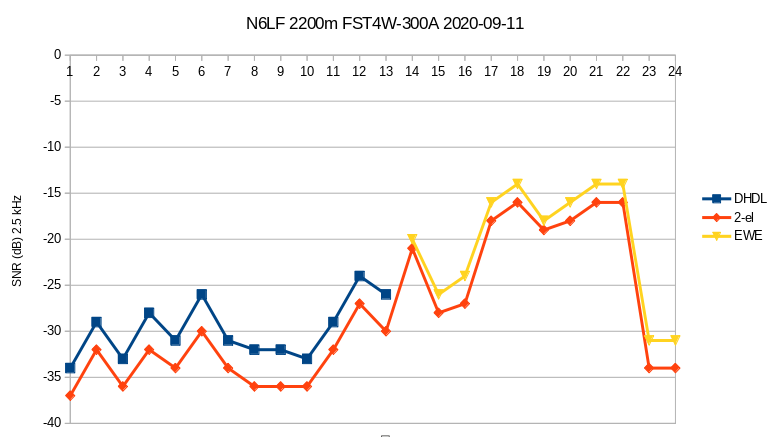
The average SNR difference between the double loops and 2-el array is 3.38 dB. The average difference between the EWE and 2-el array is 2.09 dB. That’s a 1.29 dB difference in favor of the anti-phased loops vs. the EWE. However, a more pronounced difference was observed using the experimental station WH2XND’s WSPR-2 signals (2-minute periods):
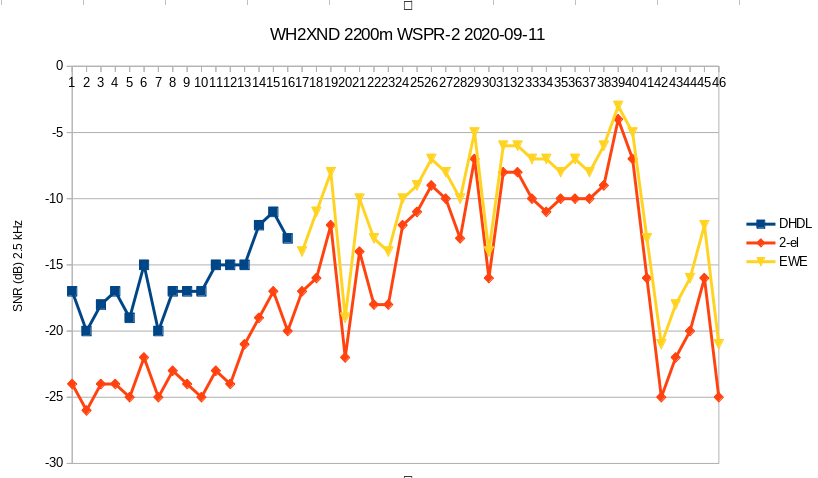
In this series of data, the average SNR difference between the double loops and 2-el array is 6.75 dB. The average difference between the EWE and 2-el array is 2.80 dB. That’s a 3.95 dB difference in favor of the anti-phased loops vs. the EWE. I tend to trust this data more than the 5-minute cycle as it’s more granular in terms of time and less likely to be subject to inherent averaging of the longer mode. It also seems to reflect the theoretical increase in SNR (1x – 2x RDF) expected for antennas that differ by approx. 2.2 dB RDF (EWE 7.4 dB RDF, anti-phased loops / DHDL 9.6 dB RDF).
The DHDL inspired configuration seems to be a worthwhile upgrade from a single EWE on 2200m. It’s a lot less fussy than externally phasing (coax or twisted pair lines, inversion transformer, additional feedpoint and terminations, etc.) a pair of independent loops.
The astute observer may be wondering, “how is it that a EWE with a lower RDF is outperforming the 2-el array?” Good question…….